File Handling in Python
Karnataka Board · Class 12 · Computer Science
Summary of File Handling in Python for Karnataka Board Class 12 Computer Science. Key concepts, important points, and chapter overview.
Interactive on Super Tutor
Studying File Handling in Python? Get the full interactive chapter.
Quizzes, flashcards, AI doubt-solver and a step-by-step study plan — built for chapter summary and more.
1,000+ Class 12 students started this chapter today
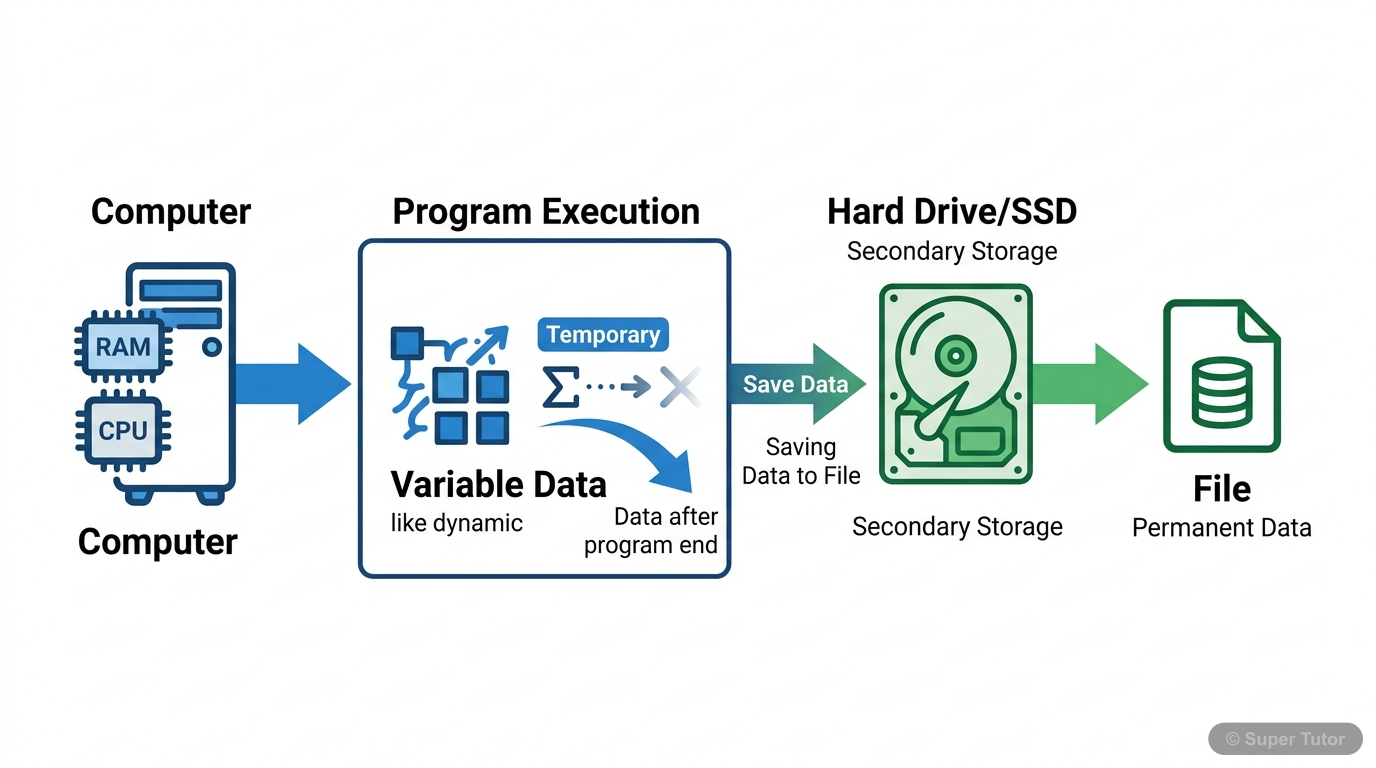
Super Tutor has 9+ illustrations like this for File Handling in Python alone — flashcards, concept maps, and step-by-step visuals.
See them allOverview
File handling is a crucial concept in programming that allows us to store and retrieve data permanently on secondary storage devices. In Python, file handling enables us to work with both text and binary files to save program data, user inputs, and outputs for future use. This chapter covers the fun
Key Concepts
A file is a named location
A file is a named location on secondary storage media where data is permanently stored. There are two main types: text files (human-readable character
Files are opened using open(file_name
Files are opened using open(file_name, access_mode) function which returns a file object. Access modes include 'r' (read), 'w' (write), 'a' (append),
write() method writes a single string
write() method writes a single string to a file and returns the number of characters written. writelines() method writes multiple strings from an iter
read(n) reads n bytes or entire
read(n) reads n bytes or entire file if no argument given. readline(n) reads one complete line or n bytes up to newline character. readlines() reads a
tell() method returns current position
tell() method returns current position of file object in bytes from beginning. seek(offset, reference_point) moves file object to specified position w
Learning Objectives
- Understand the concept of files and their importance in data storage
- Differentiate between text files and binary files
- Learn to open and close files using various access modes
- Master writing data to text files using write() and writelines() methods
- Learn to read data from text files using read(), readline(), and readlines() methods
Frequently Asked Questions
What are the important topics in File Handling in Python for Karnataka Board Class 12 Computer Science?
How to score full marks in File Handling in Python — Karnataka Board Class 12 Computer Science?
Sources & Official References
- Karnataka SSLC — kseeb.kar.nic.in
- Dept of Pre-University Education, Karnataka
- National Education Policy 2020 — education.gov.in
Content is aligned to the official syllabus. Refer to the board website for the latest curriculum.
More resources for File Handling in Python
Important Questions
Practice with board exam-style questions
Syllabus
What topics to cover
Revision Notes
Key points for last-minute revision
Study Plan
Step-by-step plan to ace this chapter
Flashcards
Quick-fire cards for active recall
Formula Sheet
All formulas in one place
Practice Quiz
Test yourself with a quick quiz
Concept Maps
See how topics connect visually
For serious students
Get the full File Handling in Python chapter — for free.
Quizzes, flashcards, AI doubt-solver and a step-by-step study plan for Karnataka Board Class 12 Computer Science.