File Handling in Python
Karnataka Board · Class 12 · Computer Science
Quick revision notes for File Handling in Python — Karnataka Board Class 12 Computer Science. Key concepts, formulas, and definitions for last-minute revision.
Interactive on Super Tutor
Studying File Handling in Python? Get the full interactive chapter.
Quizzes, flashcards, AI doubt-solver and a step-by-step study plan — built for revision notes and more.
1,000+ Class 12 students started this chapter today
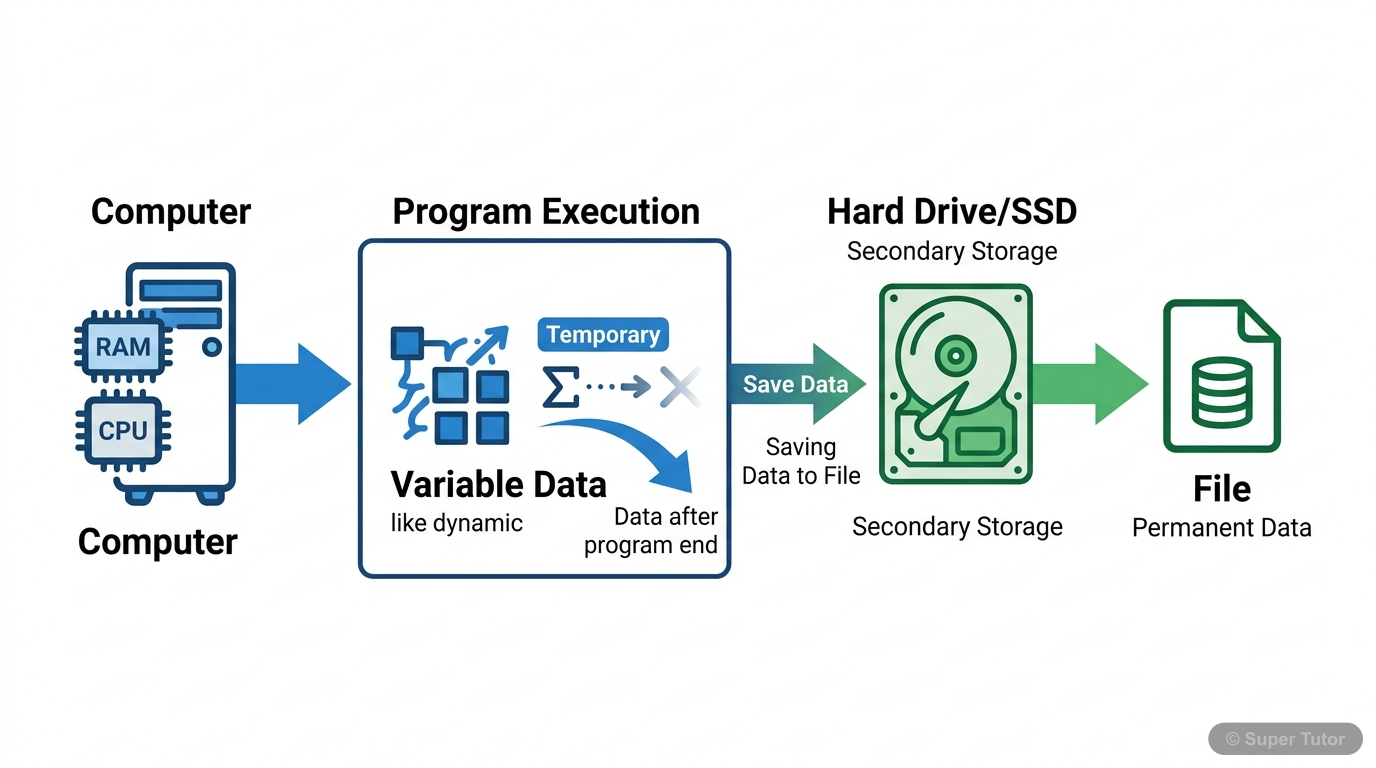
Super Tutor has 9+ illustrations like this for File Handling in Python alone — flashcards, concept maps, and step-by-step visuals.
See them allKey Topics to Revise
Introduction to Files and File Types
- A file is a named location on secondary storage media where data is permanently stored
- Files store data as collections of 0s and 1s (binary format)
- Two main types: Text files and Binary files
Opening and Closing Files
- Use open() function to open files: file_object = open(file_name, access_mode)
- File object establishes link between program and data file
- Always close files using close() method after operations
File Access Modes
- 'r': Read-only mode, file pointer at beginning
- 'w': Write mode, overwrites existing content, creates new if doesn't exist
- 'a': Append mode, file pointer at end, creates new if doesn't exist
Writing to Text Files
- write() method writes single string to file
- writelines() method writes sequence of strings
- write() returns number of characters written
Get complete notes with diagrams and examples
Full NotesKey Concepts
Frequently Asked Questions
What are the important topics in File Handling in Python for Karnataka Board Class 12 Computer Science?
How to score full marks in File Handling in Python — Karnataka Board Class 12 Computer Science?
Sources & Official References
- Karnataka SSLC — kseeb.kar.nic.in
- Dept of Pre-University Education, Karnataka
- National Education Policy 2020 — education.gov.in
Content is aligned to the official syllabus. Refer to the board website for the latest curriculum.
More resources for File Handling in Python
Important Questions
Practice with board exam-style questions
Syllabus
What topics to cover
Study Plan
Step-by-step plan to ace this chapter
Flashcards
Quick-fire cards for active recall
Formula Sheet
All formulas in one place
Chapter Summary
Understand the chapter at a glance
Practice Quiz
Test yourself with a quick quiz
Concept Maps
See how topics connect visually
For serious students
Get the full File Handling in Python chapter — for free.
Quizzes, flashcards, AI doubt-solver and a step-by-step study plan for Karnataka Board Class 12 Computer Science.